

Bugs Fixed:
- Improved application performance. The application now loads data on demand instead of preloading all data within a user's scope. This significantly improves loading times and overall responsiveness.
- Pagination display fixed. Resolved an issue where pagination displayed every available page number horizontally, causing it to overflow the page.
- Search and export reliability improved. Fixed an issue that occasionally caused Quick Search, Advanced Search, and Export functions to stop working.
- DocuSign status popover fixed. Resolved an issue where the DocuSign status popover would sometimes fail to display on applications in the Pending tab.
- Improved handling of empty results. The application now handles "No data found" scenarios more efficiently and consistently.
New Features:
Enhanced workflow visualization. While the overall approval workflow remains unchanged, the application has been redesigned to better reflect each application's current stage. A workflow progress indicator is now displayed at the top of every application, making it easy to see where the application is in the approval process.

- Workflow-based required fields. Required fields are now determined by the application's current workflow stage rather than the editor's role (Account Manager or Advisor). This provides greater flexibility and improves data validation.
Dynamic Save button. The Save button label now changes based on the current workflow stage, providing users with clearer guidance.


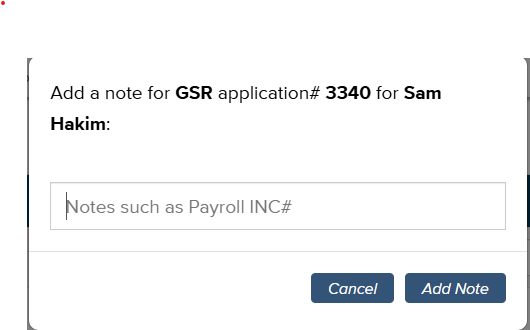
Application notes. Editors can now add custom notes to applications in the New and Pending tabs. Click the "+" icon on an application to add a note. All notes are recorded and displayed in the application's history log.

Applicant hiring history. Each application now includes the applicant's hiring history. Both the Application History Logs and Applicant Hiring History sections are collapsible, allowing users to quickly switch between the two views.

- Expanded Payroll Supervisor access. Payroll Supervisors from DiSSC can now view all GSR applications across the college.
UI/UX Improvement:
Record count displayed. Each paginated tab now displays the total number of matching records at the top of the page.

Quick Search clear button. Quick Search fields now include a clear (×) button, allowing users to reset their search with a single click.

IT Administrator Enhancements:
- Claim unassigned users. IT Administrators can now claim users who are not associated with a department. This is useful when department information cannot be retrieved from campus systems, allowing administrators to assign and manage those users without requiring the department value to be populated.